What is In This Content?
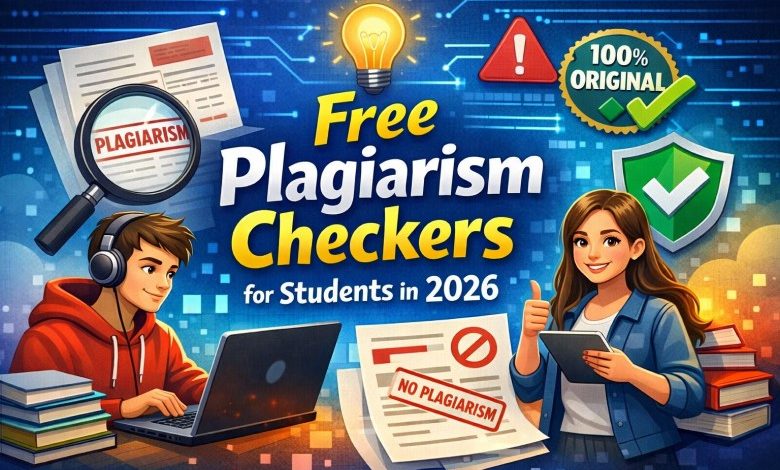
Plagiarism is one of the biggest academic risks students face today. Whether you’re writing an essay, preparing a research paper, or submitting an assignment online, even unintentional plagiarism can lead to serious consequences grade penalties, assignment rejection, or even academic probation.
The good news? There are now powerful, free plagiarism checkers that help students detect copied content, rewrite sentences, and ensure originality before submitting their work. Many of these tools use advanced AI, natural language processing, and large academic databases to compare your writing against billions of online sources.
This guide breaks down the best free plagiarism checkers for students, how they work, their accuracy, limitations, and how to choose the right one for your assignments. You’ll also learn how to avoid plagiarism altogether using smart writing strategies and AI‑assisted tools.
Let’s dive in.
1. Why Students Need a Plagiarism Checker in 2026
Plagiarism isn’t always intentional. In fact, most students plagiarize accidentally because:
- They forget to cite sources
- They paraphrase incorrectly
- They reuse old assignments
- They rely on AI tools without editing
- They copy definitions or explanations from the internet
Schools today use advanced plagiarism detection systems like Turnitin, SafeAssign, and Unicheck — meaning even small similarities can be flagged.
A free plagiarism checker helps you:
- Detect copied sentences
- Identify paraphrasing issues
- Fix accidental plagiarism
- Rewrite flagged content
- Improve originality score
- Submit assignments with confidence
With AI‑generated content becoming more common, originality tools are now more important than ever.
2. How Plagiarism Checkers Work (Simple Explanation)
Most plagiarism checkers follow a similar process:
Step 1 — You paste your text
You can upload a document or paste your essay directly into the tool.
Step 2 — The tool scans your writing
It compares your text against:
- Websites
- Academic journals
- Student papers
- Books
- AI‑generated content
- Public databases
Step 3 — It highlights matched content
The tool shows:
- Exact matches
- Paraphrased matches
- Missing citations
- Similar sentence structures
Step 4 — It gives an originality score
This score tells you how unique your writing is.
Step 5 — You fix the flagged parts
You can rewrite, paraphrase, or cite properly.
3. Best Free Plagiarism Checkers for Students (Ranked & Reviewed)
Below is a detailed breakdown of the top free plagiarism checkers students can use in 2026. These tools are accurate, easy to use, and completely free.
Eduqia Plagiarism Checker (Fast, Free & Student‑Friendly)
Best for: Students who want a simple, fast, and accurate plagiarism scan.
Student Plagiarism Checker
Detect copied sentences and similarity between texts.
Matched Sentences
Eduqia’s plagiarism checker is designed specifically for students. It scans your text against online sources, highlights similarities, and helps you rewrite flagged sentences. It’s lightweight, fast, and perfect for essays, homework, and assignments.
Key Features
- 100% free
- No login required
- Fast scanning
- Highlights matched sentences
- Works with essays, homework, and reports
- Student‑friendly interface
Why Students Love It
Eduqia’s tool is built for simplicity no ads, no complicated dashboards, just paste and scan.
2. QuillBot Plagiarism Checker (Accurate & AI‑Powered)
Best for: Students who want high accuracy and rewriting tools.
QuillBot is known for its paraphrasing tool, but its plagiarism checker is equally powerful. It scans your text across billions of sources and gives a detailed originality report.
Key Features
- AI‑powered detection
- Deep scan mode
- Sentence‑level plagiarism detection
- Works well with academic writing
Limitations
- Free version has word limits
- Full reports require a premium plan
3. Grammarly Plagiarism Checker (Great for Grammar + Plagiarism)
Best for: Students who want grammar correction + plagiarism detection.
Grammarly checks your writing for grammar, clarity, tone, and plagiarism. It’s one of the most accurate tools available.
Key Features
- Checks billions of web pages
- Grammar + plagiarism in one tool
- Highlights exact matches
- Suggests rewrites
Limitations
- Full plagiarism report requires premium
- Free version only shows limited matches
4. SmallSEOTools Plagiarism Checker (Completely Free)
Best for: Students who want unlimited free scans.
SmallSEOTools offers a fully free plagiarism checker with no word limits.
Key Features
- Unlimited scans
- Upload files (PDF, DOCX, TXT)
- Shows percentage match
- Highlights copied content
Limitations
- Ads on the website
- Not as accurate as premium tools
5. Scribbr Plagiarism Checker (Turnitin‑Powered)
Best for: Students writing research papers or dissertations.
Scribbr uses Turnitin’s database the same system used by universities.
Key Features
- Extremely accurate
- Detects academic plagiarism
- Checks student paper databases
- Great for research writing
Limitations
- Not free
- Best for final submissions
6. PlagScan (Trusted by Universities)
Best for: Students who want professional‑level scanning.
PlagScan is widely used by academic institutions and offers a free trial.
Key Features
- Academic‑grade detection
- Detailed reports
- Citation analysis
Limitations
- Limited free usage
- Interface is more professional than student‑friendly
7. Duplichecker (Simple & Free)
Best for: Quick plagiarism checks.
Duplichecker is a lightweight plagiarism checker with a clean interface.
Key Features
- Free daily scans
- Highlights matched content
- Easy to use
Limitations
- Word limit per scan
- Not ideal for long essays
4. Comparison Table: Best Free Plagiarism Checkers for Students
| Tool | Free? | Accuracy | Word Limit | Best For |
|---|---|---|---|---|
| Eduqia | Yes | Medium/High | Unlimited | Essays & homework |
| QuillBot | Partial | Very High | Limited | Paraphrasing + plagiarism |
| Grammarly | Partial | Very High | Limited | Grammar + plagiarism |
| SmallSEOTools | Yes | Medium | Unlimited | Quick checks |
| Scribbr | No | Extremely High | Unlimited | Research papers |
| PlagScan | Partial | High | Limited | Academic writing |
| Duplichecker | Yes | Medium | 1,000 words | Short assignments |
5. How Accurate Are Free Plagiarism Checkers?
These Free tools are great for basic checks, but they have limitations:
Free Tools Can Detect:
- Copied sentences
- Paraphrased content
- Online sources
- Blog posts
- Wikipedia content
Free Tools Cannot Detect:
- Student paper databases
- Private academic journals
- University submissions
- Turnitin‑exclusive sources
For everyday homework and essays, free tools are enough. For final papers, dissertations, or research projects, premium tools are more reliable.
6. How to Avoid Plagiarism (Even Without a Checker)
Here are simple strategies to stay 100% original:
1. Understand the topic before writing
Don’t copy learn, then explain in your own words.
2. Use a paraphrasing tool responsibly
Tools like Eduqia’s paraphraser help rewrite sentences naturally.
3. Cite your sources
Use a citation generator to create APA, MLA, or Chicago citations.
4. Avoid copying definitions
Rewrite them in your own language.
5. Don’t rely on AI alone
AI tools can accidentally produce content similar to existing sources.
6. Always run a final plagiarism check
Even if you wrote everything yourself.
7. How Students Can Use AI Tools Safely (Without Getting Flagged)
AI tools are helpful, but schools are becoming strict about AI‑generated content. Here’s how to use AI safely:
- Use AI for brainstorming, not full essays
- Rewrite AI‑generated text in your own voice
- Add personal examples and explanations
- Run the final draft through a plagiarism checker
- Use a grammar checker to refine your writing
This ensures your work remains original and human‑written.
8. Which Plagiarism Checker Should You Use? (Simple Recommendation)
For everyday homework:
Eduqia Plagiarism Checker Fast, free, unlimited.
For essays & assignments:
QuillBot or Grammarly Accurate + rewriting tools.
For research papers:
Scribbr (Turnitin‑powered) Most accurate for academic writing.
For quick checks:
SmallSEOTools or Duplichecker Simple and free.
9. Final Verdict: The Best Free Plagiarism Checker for Students
If you want a completely free, fast, and student‑friendly plagiarism checker, Eduqia’s plagiarism tool is the best choice. It gives you:
- Unlimited scans
- Instant results
- Highlighted matches
- Easy rewriting
- No login required
For deeper academic checks, tools like QuillBot, Grammarly, and Scribbr offer more advanced detection but for everyday student use, free tools are more than enough.