What is In This Content?
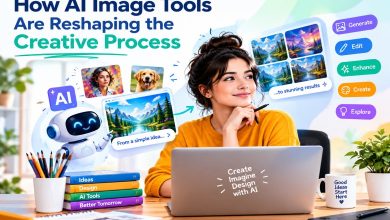
AI image generation has developed rapidly in recent years, changing the way people approach digital content and visual design. What once required drawing skills, design software, stock-image searches, or hours of manual editing can now begin with something as simple as a written description. With generative AI, users can describe a scene, object, character, or visual concept in natural language and receive an image based on those instructions.
Text-to-image technology has made visual creation more accessible to a much wider audience. Designers can use it to explore concepts, marketers can develop ideas for campaigns, and everyday users can experiment with creative possibilities without needing advanced graphic-design experience. Instead of starting with a blank canvas, creators can begin with an idea and use AI to turn that idea into a visual starting point.
At the same time, AI image generation is moving beyond the basic concept of entering a prompt and receiving a picture. Modern systems are becoming better at understanding detailed instructions, handling multiple elements within a scene, and providing more control over the final result. This shift is creating a more flexible relationship between human input and machine-generated visuals.
Tools such as Nano Banana 2.5 are part of this broader movement toward more capable AI-powered image creation. Rather than viewing AI as simply an automatic image maker, the newer generation of tools can be considered creative assistants that help users explore, refine, and develop visual ideas through natural-language instructions.
What Is an AI Image Generator From Text?
An AI image generator from text is a generative AI system that creates visual content based on written instructions, commonly known as prompts. A user might describe a landscape, product concept, character, illustration, or photorealistic scene, and the system interprets the description to produce an image that attempts to match the requested details.
Behind this process are machine-learning models trained to recognize relationships between language and visual concepts. During generation, the system analyzes the words in a prompt and uses its learned understanding of subjects, environments, styles, colors, and other visual characteristics to construct an appropriate image.
For example, a prompt describing a small cabin beside a mountain lake at sunrise provides several pieces of information. The AI needs to identify the cabin, lake, mountains, and time of day, while also determining how these elements could be arranged into a coherent scene. A more detailed prompt can add information about lighting, perspective, materials, atmosphere, or artistic style.
This approach differs from traditional digital image creation. Conventional design usually requires a person to manually create or combine visual elements using tools such as drawing applications, photo editors, or 3D software. AI-assisted creation can automate part of that process by generating an initial visual interpretation from a text description.
However, AI image generation does not completely replace creative decision-making. Users still need to decide what they want to create, communicate that idea clearly, evaluate the generated result, and make adjustments when the output does not match their expectations. In this way, text-to-image AI works as a creative tool rather than simply an alternative to human design.
How Text-to-Image AI Works
Although the technology behind AI image generation is complex, the basic workflow can be understood through several stages. The process begins with the user’s written prompt. The AI analyzes the language and identifies the concepts, relationships, and visual characteristics contained within the instructions.
Understanding Natural-Language Prompts
The first step is interpreting what the user has written. A prompt can contain information about the main subject, background, composition, colors, lighting, mood, camera perspective, or artistic style. Modern systems are increasingly capable of handling prompts that contain several requirements rather than just a simple description.
For instance, asking for “a modern glass house in a forest” gives the system a basic concept. Adding details about evening lighting, fog, architecture, camera angle, and a cinematic appearance gives the generator more information about the intended visual result.
Converting Text Into Visual Concepts
Once the prompt has been interpreted, the system connects the language with visual concepts learned during model training. It determines which objects, characteristics, and relationships should appear in the generated image.
This stage is important because a useful image is not simply a collection of individual objects. The system needs to create relationships between them. If a prompt describes a person standing beside a car on a rainy street, for example, the generated scene needs to place these elements in a visually coherent environment.
Generating Composition, Objects, Colors, and Style
The image-generation process then builds the visual representation according to the interpreted instructions. This can involve creating the main subjects, arranging objects within the frame, establishing colors and lighting, and applying a requested artistic or photographic style.
The result depends on both the capabilities of the particular AI model and the information contained in the prompt. More advanced systems can often handle multiple visual requirements while maintaining a more coherent overall composition.
Refining and Rendering the Final Image
After the initial visual structure has been generated, the system produces the final image at the requested level of detail and resolution. Depending on the tool, users may also have options for regenerating an image, modifying specific elements, or trying a different interpretation of the same idea.
This makes image generation an iterative process. A creator may generate an initial image, identify something that needs improvement, adjust the instructions, and generate another version.
Why Prompt Quality Matters
The quality and clarity of a prompt can influence how accurately an AI system understands the intended result. Vague instructions may leave more room for interpretation, while well-organized descriptions can communicate specific requirements more clearly.
This does not mean that longer prompts always produce better images. Effective prompting is generally about providing the information that actually matters to the desired result. A clear description of the subject, setting, important visual details, and style can often be more useful than adding unnecessary words.
How AI Image Generation Has Evolved
Early AI image-generation systems demonstrated the potential of creating pictures from written descriptions, but their outputs often had noticeable limitations. Images could appear inconsistent, details could be distorted, and complicated prompts were difficult for models to interpret accurately. Certain objects, facial features, hands, text, and spatial relationships were particularly challenging.
As generative AI models have advanced, image quality has improved considerably. Modern systems can produce more detailed textures, more convincing lighting, and increasingly realistic representations of people, objects, and environments. These improvements have made AI-generated imagery useful for a wider range of creative tasks.
Another important development has been better prompt understanding. Earlier systems often struggled when a prompt contained several connected instructions. Newer models are designed to handle more complex descriptions and understand relationships between different elements of a scene.
Control has also become an important part of the evolution. AI image generation is no longer limited to producing an entirely new image from scratch. Many modern workflows combine generation with editing, allowing users to adjust or replace elements, experiment with different styles, or refine an existing visual concept.
This represents a broader change in how people use generative AI. Instead of treating the technology as a one-step image generator, creators can incorporate it into a larger workflow that includes brainstorming, visualization, editing, and refinement.
What Makes Next-Generation AI Image Tools Different?
The next generation of AI image tools is focused on making image creation more accurate, controllable, and practical. The goal is not simply to produce attractive pictures but to better understand what users are actually asking for and provide outputs that are closer to their intended results.
More Accurate Prompt Interpretation
Improved language understanding allows newer systems to process detailed instructions with greater context. This can be particularly useful when a prompt describes several objects, relationships, or visual requirements at the same time.
Improved Realism and Consistency
Advances in generative models have contributed to more realistic textures, lighting, proportions, and environmental details. Consistency is also becoming increasingly important, particularly when creators want related images or recurring visual elements.
Better Handling of Complex Scenes
Modern image generators are increasingly capable of creating scenes containing multiple subjects and layers of detail. Rather than focusing on one isolated object, they can interpret descriptions involving environments, people, objects, lighting conditions, and specific compositions.
Greater Creative Control
Creative control is another major area of development. Users increasingly expect to influence more than just the general subject of an image. Details such as composition, visual style, colors, perspective, and individual elements can become part of the creative process.
Faster Generation and Easier Experimentation
Speed also affects how people work with generative AI. Faster generation makes it easier to test different ideas, compare visual directions, and refine a concept without spending excessive time waiting for each result.
More Practical Editing Capabilities
The boundary between image generation and image editing is becoming less distinct. Instead of generating a completely new image every time something needs to change, modern AI workflows can allow creators to modify existing visuals and experiment with individual elements.
Together, these developments are moving AI image generation toward a more interactive creative experience. The emphasis is increasingly on giving people a way to turn ideas into visuals, evaluate the results, and continue refining them until the image better matches the original concept.
Creating Images From Detailed Text Prompts
The quality of an AI-generated image often begins with how clearly the desired idea is described. A text-to-image generator does not think about a visual concept in exactly the same way a person does, so providing useful context can help the system understand what should appear in the final image. A well-written prompt gives the model enough direction while leaving room for it to construct a coherent visual result.
Writing Descriptive Prompts
A descriptive prompt should communicate the most important aspects of the image without becoming unnecessarily complicated. Instead of using only a general instruction such as “a city street,” a creator might describe a busy downtown street at night, illuminated by storefronts and passing vehicles after rainfall.
The level of detail should depend on the desired result. A simple concept may require only a few words, while a complex visual scene may benefit from information about the environment, mood, perspective, and appearance of important subjects.
Specifying Subjects, Environments, Lighting, Composition, and Style
Different parts of a prompt can guide different visual characteristics. The subject identifies what the image should focus on, while the environment establishes where the scene takes place. Lighting can influence the atmosphere and appearance of objects, and composition can help communicate how the scene should be framed.
Style is another useful element. A prompt can request a photographic appearance, digital illustration, watercolor-inspired artwork, cinematic scene, or another visual direction. Combining these elements gives an AI image generator a clearer description of the intended result.
Combining Multiple Requirements in a Single Prompt
More advanced creative tasks may require several instructions at once. For example, a user might want a particular character in a specific environment, wearing certain clothing, viewed from a particular angle, under specific lighting conditions.
The challenge is to organize these requirements so they remain understandable. Important details can be described in a logical order, starting with the primary subject and then adding the environment, composition, appearance, and other characteristics. This can make the intended relationship between different elements easier for the model to interpret.
Using Iterative Prompting to Improve Results
The first generated image does not always need to be the final one. Iterative prompting allows users to review an output, identify what needs to change, and adjust the instructions accordingly.
For example, if the overall composition is useful but the lighting is too dark, the next prompt can focus on brighter natural lighting. If an object is missing, the description can be made more explicit. Repeating this process allows creators to gradually move from a general concept toward a more suitable visual result.
Why Clear Instructions Generally Produce More Predictable Outcomes
AI image generators still interpret language rather than following instructions with perfect precision. Clear prompts reduce unnecessary ambiguity and make the intended visual direction easier to understand.
This does not guarantee an exact result, but it can make the generation process more consistent. The most effective approach is usually to describe the elements that matter most instead of filling a prompt with unrelated keywords.
Creative Control in Modern AI Image Generators
As AI image generation has developed, creative control has become just as important as image quality. Users increasingly want to guide the visual result rather than simply accept whatever image the system produces.
Image Style and Visual Direction
AI tools can support a wide range of visual directions, from realistic photography and product imagery to illustrations and stylized artwork. Describing the intended style helps establish the overall appearance and mood of the generated image.
This flexibility allows the same basic concept to be explored in several different ways. A single idea could become a realistic scene, an editorial illustration, or a more artistic composition depending on the chosen direction.
Composition and Framing
Composition determines how subjects and objects are arranged within an image. Users may want a close-up portrait, a wide landscape, a centered product shot, or a scene with a specific perspective.
Providing composition-related instructions can help establish the visual hierarchy of the image and direct attention toward important elements.
Color and Lighting Adjustments
Color and lighting have a major influence on the mood of an image. Warm lighting can create a different atmosphere from cool lighting, while soft daylight produces a different appearance from dramatic shadows.
Modern AI image workflows allow creators to describe these characteristics directly in their prompts and, depending on the tool, refine them during editing.
Object Placement and Scene Details
For more complicated images, the position and relationship of objects can be important. A creator may need a person standing beside a vehicle, a product placed on a particular surface, or several objects arranged within a specific environment.
Clear descriptions of these relationships can help the system construct a more coherent scene. However, highly specific spatial requirements may still require several attempts.
Editing and Refining Generated Images
Generation and editing are increasingly becoming connected parts of the same workflow. Instead of starting over whenever an image contains an unwanted element, users may be able to modify the visual and regenerate selected aspects.
This makes AI image creation more practical for real projects because creators can work progressively rather than treating every generation as a completely separate attempt.
Balancing Automation With Human Creative Decisions
AI can automate much of the technical process, but human judgment remains important. A person still decides what the image should communicate, which version works best, and what changes are necessary.
The most useful approach is often a combination of automation and creative direction. AI can handle rapid visual exploration while the creator provides the purpose, context, and final judgment.
Practical Applications of Text-to-Image AI
Text-to-image technology is being explored across many creative and professional fields. Its ability to produce visual concepts quickly makes it useful wherever people need to communicate ideas through images.
Social Media and Marketing Graphics
Creators can use AI-generated visuals to explore ideas for social posts, advertisements, campaign concepts, and promotional graphics. Instead of creating every concept manually, teams can generate several visual directions and decide which ones are worth developing further.
Concept Art and Creative Projects
Artists, filmmakers, game developers, and other creators can use text-to-image systems during the early stages of creative development. AI-generated images can help visualize characters, environments, themes, or potential scenes before more detailed production begins.
Product Visualization
AI-generated imagery can also support product concepts. A creator can describe a product and place it within different environments or visual settings to explore how it might look in a particular context.
These images may serve as early concepts rather than final commercial product photography, especially when exact physical accuracy is essential.
Website and Blog Imagery
Websites and blogs often need visual content that matches a particular topic. Text-to-image tools can help generate illustrations or conceptual imagery when a suitable custom visual is difficult to source.
This can also allow publishers to maintain a more consistent visual direction across different pieces of content.
Presentations and Educational Materials
AI-generated images can make presentations and educational resources more visually engaging. Teachers, students, and professionals can create illustrations of abstract concepts, scenarios, environments, or processes that may be difficult to represent using ordinary stock images.
Storytelling and Visual Development
Writers and storytellers can use generated images to explore characters, locations, scenes, and visual themes. These images can help turn written descriptions into visual references during the development of a story.
Personal Creative Experimentation
AI image generators are also useful for personal projects. Users can experiment with unusual ideas, create imaginative scenes, explore different artistic styles, or simply discover what is possible through text-based creative tools.
This low-pressure experimentation is one reason text-to-image technology has become accessible to people who may not have formal design or illustration training.
Benefits of AI-Powered Image Creation
The growing use of AI image generation is largely connected to its ability to make visual experimentation faster and more accessible. While it does not eliminate the need for creative skills, it can reduce some of the technical barriers involved in producing visual concepts.
Faster Visual Ideation
One of the most obvious benefits is speed. A creator can describe an idea and receive a visual interpretation in a relatively short time. This makes it easier to move from an abstract thought to something that can be reviewed and discussed.
Reduced Barriers for Beginners
Traditional digital illustration and design can involve a significant learning curve. Text-to-image AI provides an alternative starting point for people who may not know how to use advanced design software.
Users can begin with ordinary language and gradually learn how different descriptions affect the generated results.
Ability to Explore Multiple Concepts Quickly
AI makes it practical to test several visual directions without manually creating each version from scratch. A creator can experiment with different compositions, styles, environments, and moods before selecting a direction for further development.
Support for Creators Without Advanced Design Skills
AI-generated images can help writers, small businesses, students, marketers, and other users visualize ideas even when they lack specialized illustration or graphic-design skills.
The technology can therefore serve as a bridge between having a visual idea and being able to represent that idea.
More Efficient Creative Workflows
For experienced designers and creators, AI can become another stage within an existing workflow. It can assist with brainstorming, mood boards, early concepts, variations, and visual references, allowing professionals to spend more time refining the aspects that require human judgment.
Easy Experimentation With Different Visual Directions
Because changing a prompt is relatively simple, users can explore alternatives without committing significant resources to each experiment. This encourages creative testing and can sometimes reveal visual possibilities that were not part of the original idea.
Limitations and Challenges of AI Image Creation
Despite significant improvements, AI image generation is not without limitations. Understanding these challenges is important for anyone using generated visuals for personal, educational, or professional purposes.
Misinterpretation of Complex Prompts
AI systems can misunderstand complicated instructions, particularly when a prompt contains many requirements or unusual relationships between objects. An image may capture the general concept while ignoring or changing specific details.
For this reason, complex visual projects may require several generations and revisions.
Inconsistent Characters or Objects Across Generations
Maintaining the exact appearance of a character, product, or object across multiple images can be difficult. Small changes in facial features, clothing, proportions, colors, or other characteristics may occur between generations.
Consistency is especially important for storytelling, branding, product visualization, and other projects involving a recurring subject.
Distorted Details and Inaccurate Text
AI-generated images can still contain visual errors. Small objects, intricate patterns, hands, facial details, and written text may sometimes appear incorrectly.
Text inside generated images can be particularly challenging because the system is creating visual representations rather than treating the image like a conventional document. Important text should therefore be checked carefully before an image is used publicly.
Difficulty Reproducing Highly Specific Visual Requirements
A creator may have an extremely precise idea that is difficult for a general-purpose image model to reproduce exactly. Specific dimensions, unusual physical arrangements, technical diagrams, or exact product details may require traditional design or editing tools in addition to AI generation.
AI is often more effective as a flexible creative assistant than as a guarantee of pixel-perfect execution.
Copyright, Originality, and Responsible-Use Considerations
The use of generative AI also raises questions about copyright, originality, attribution, and responsible content creation. The legal and policy environment surrounding AI-generated material continues to develop across different countries and platforms.
Users should consider the intended use of an image, the rules of the service they are using, and any applicable intellectual-property requirements. Generated content should also be reviewed for potentially misleading, inappropriate, or unauthorized uses.
Why Human Review Remains Important
Human review remains an essential part of responsible AI image creation. A person can identify inaccuracies, check whether the image communicates the intended message, correct unwanted details, and determine whether the result is appropriate for its intended audience.
The most practical approach is therefore not to treat AI-generated output as automatically final. Instead, creators can use AI to accelerate the process while retaining human oversight for accuracy, quality, originality, and context.
Choosing the Right AI Image Generator
With so many AI image-generation tools available, choosing one should depend on the type of visual work a person wants to accomplish. Different platforms can vary in image quality, prompt interpretation, editing features, speed, and creative controls. Looking at these factors before choosing a tool can help users find an option that fits their particular workflow.
Image Quality and Realism
Image quality is one of the first factors to consider. Some projects require highly realistic people, environments, or products, while others may benefit more from illustrations or artistic styles.
The right choice depends on the expected visual outcome. Users should consider how well a tool handles fine details, lighting, textures, proportions, and overall image consistency rather than judging it only by a few impressive examples.
Prompt Understanding
A capable AI image generator should be able to understand the main idea behind a prompt as well as the relationships between different elements. This becomes particularly important when creating complex scenes with multiple subjects, specific compositions, or detailed visual instructions.
Tools that interpret natural language effectively can make the generation process more intuitive and reduce the need to repeatedly rewrite prompts.
Editing and Customization Capabilities
Generation is only one part of the creative process. Editing and customization features can be equally important, particularly when an image is being prepared for an actual project.
Users may want to change certain objects, adjust visual details, generate variations, or refine an existing image. Tools that support these types of workflows can provide greater flexibility than systems focused only on one-time generation.
Generation Speed
Speed can influence productivity, especially when users need to test multiple concepts. Faster generation allows creators to experiment with different prompts and visual directions without interrupting their workflow for long periods.
However, speed should be considered alongside quality. A fast tool may not be useful for a particular project if it cannot produce the level of detail or accuracy required.
Ease of Use
An AI image generator should be accessible to its intended users. A straightforward interface can make it easier for beginners to start experimenting, while more advanced users may prefer additional controls and customization options.
The best interface is ultimately the one that provides the right balance between simplicity and functionality for the user’s experience level.
Available Creative Controls
Creative controls can include options related to composition, style, aspect ratio, lighting, image variations, editing, and other visual characteristics. These controls give users more influence over the final output.
The importance of these features depends on the project. Someone creating casual social media visuals may need only basic controls, while a professional designer may require much more precise direction.
Matching the Tool to the Intended Use Case
There is no single set of features that is ideal for every type of image creation. A tool used for concept development may have different requirements from one used for marketing graphics, product visualization, storytelling, or educational content.
Before choosing an AI image generator, users should identify what they actually need to create. This makes it easier to evaluate features based on practical requirements rather than simply choosing a tool because it has a long list of capabilities.
Where Nano Banana 2.5 Fits In
The development of newer AI image-generation tools reflects a broader change in generative AI. Early systems largely focused on transforming a short written description into an image. As the technology has matured, the emphasis has expanded toward better prompt understanding, higher-quality outputs, greater creative control, and more flexible workflows.
Within this wider development, Nano Banana 2.5 represents the type of newer-generation AI image technology that users can explore as they look for more capable ways to turn written ideas into visuals. Rather than viewing such tools simply as replacements for traditional image software, they can be considered part of a larger shift toward AI-assisted creative workflows.
For example, newer-generation image tools can be useful during the early stages of brainstorming, when a creator wants to quickly visualize several ideas. They can also support concept development, visual experimentation, content creation, and image refinement, depending on the capabilities available within a particular platform.
Prompt understanding is particularly important in these workflows. When users provide detailed instructions, they expect the system to understand the relationships between different elements instead of treating every word as an isolated request. Improvements in this area can make image generation more useful for complex creative tasks.
Generation quality and creative control are also significant. A visually appealing image may still be unsuitable if important elements are missing or difficult to adjust. Greater control gives creators more opportunities to guide the result toward their intended concept.
Ultimately, technologies such as Nano Banana 2.5 can be viewed within the continuing evolution of AI-powered visual creation. The broader direction of the industry is moving from simple automated generation toward more interactive systems in which people can describe ideas, explore variations, refine results, and incorporate AI into their existing creative processes.
Tips for Getting Better Results From Text-to-Image AI
Getting useful results from a text-to-image system is often a process of communication and refinement. The more clearly a creator can explain the important aspects of an image, the easier it becomes to guide the generation process.
Start With a Clear Subject
Begin by identifying the main subject of the image. This could be a person, building, product, landscape, animal, object, or fictional character.
Starting with the primary subject establishes the foundation of the prompt and makes it easier to add supporting details afterward.
Describe the Environment and Important Details
After defining the subject, explain where it should appear and include the details that matter most. The environment can influence the overall composition and context of the image.
For example, describing a person walking through a quiet forest creates a very different visual direction from placing the same person in a crowded urban street.
Specify the Desired Visual Style When Necessary
If the image needs a particular appearance, include that information in the prompt. Depending on the project, this could involve realistic photography, editorial illustration, digital artwork, cinematic visuals, watercolor-inspired imagery, or another style.
Style instructions are most useful when they serve a specific creative purpose rather than being added simply to make a prompt longer.
Be Precise Without Making Prompts Unnecessarily Complicated
More information does not automatically mean a better result. A prompt containing too many unrelated instructions can make the intended visual direction harder to maintain.
Focus on the characteristics that are important to the final image. Clear, relevant details are generally more useful than a collection of disconnected descriptive words.
Review and Refine Generated Results
The first output should be treated as a starting point rather than an unquestionable final image. Examine the result and identify what works and what needs to change.
If the subject is correct but the environment is wrong, adjust the environmental description. If the composition is good but the lighting does not fit, focus the next prompt on that issue. This targeted approach can make revisions more efficient.
Experiment With Different Descriptions and Approaches
There is often more than one way to describe the same visual idea. Trying alternative wording can produce different interpretations and reveal approaches that work better with a particular AI model.
Experimentation is therefore an important part of the creative process. Instead of searching for one perfect prompt, users can treat prompting as an iterative way of communicating with the image-generation system.
The Future of AI Image Creation
AI image generation is likely to become increasingly integrated into everyday creative software and content-production workflows. As models improve, the interaction between people and image-generation systems may become more natural, allowing users to communicate visual ideas through increasingly conversational instructions.
Generation and editing are also likely to become more closely connected. Instead of creating an image and moving to a separate application for every modification, users may be able to generate a concept and continue refining it within the same AI-assisted workflow.
Another area of development is creative control. Users are likely to expect more precise ways to influence individual elements while preserving the parts of an image that already work. This could make AI generation more useful for projects where consistency and specific visual requirements matter.
Improvements in realism and consistency will remain important as well. More accurate representations of objects, people, environments, and written elements could expand the range of professional applications for generative imagery.
At the same time, AI is becoming part of broader design and content-creation processes rather than functioning as an isolated technology. Writers may use it for visual development, designers for early concepts, marketers for creative exploration, and educators for customized visual materials.
Despite these advances, human creativity and judgment will continue to play an important role. AI can generate possibilities at high speed, but people determine the purpose of those visuals, evaluate whether they communicate the intended message, and decide how and where the final content should be used.
Conclusion
Text-to-image AI has progressed from an experimental way of turning short prompts into pictures into a broader creative technology capable of supporting ideation, visualization, editing, and content development. Improvements in prompt understanding, image quality, realism, and creative controls have made these systems increasingly useful for different types of users.
Modern AI image generators can reduce the time needed to explore visual concepts and make image creation more accessible to people without advanced design skills. At the same time, their limitations mean that generated content still needs careful review, particularly when accuracy, consistency, originality, or professional quality is important.
Newer technologies such as Nano Banana 2.5 are part of this wider movement toward more capable AI-powered visual creation. Their significance is not limited to generating individual images; the larger development is the growing ability to combine natural-language instructions with generation, experimentation, and refinement.
As these technologies continue to develop, AI is likely to become an increasingly common part of creative workflows. The most effective use will not necessarily be about replacing human creativity, but about giving creators new ways to visualize ideas, explore possibilities, and turn concepts into finished work more efficiently.